
Adding bonuses to the book
Add value, grow an email list, and get more Amazon reviews

Update time: We’re less than 3 weeks from Unhinged Habits releasing on January 27th. Please consider preordering on Amazon in Kindle, Audible, or hardcover.
–
I just linked up all seven bonus downloads for Unhinged Habits.
These worksheets, reflection questions, and implementation tools help readers apply the book’s concepts. Readers scan a QR code in the book and enter their email to access them.
This approach adds reader value, builds my email list, and generates more Amazon reviews.
Here’s how to create bonuses, link them up, and leverage them for reviews. Plus a few conversion tricks I’ve learned in 15 years of internet marketing.
Aim for 5-7 bonuses
I keep a notebook page beside me while writing. Whenever I spot an opportunity for reflection questions, a worksheet, or extra examples, I note it. By the time I finish, I have 10-15 ideas. After the second edit, I cut it to 5-7.
5-7 bonuses is the sweet spot. Enough to be present throughout the book. Not so many that the calls to action distract readers.
AI is helpful for initial drafts
I paste a book section into Claude and ask it to build a worksheet. The output is mediocre, but starting is the hardest part. I go back and forth with Claude, then revise on my own with pen and paper.
From there, I iterate and test with friends and colleagues.
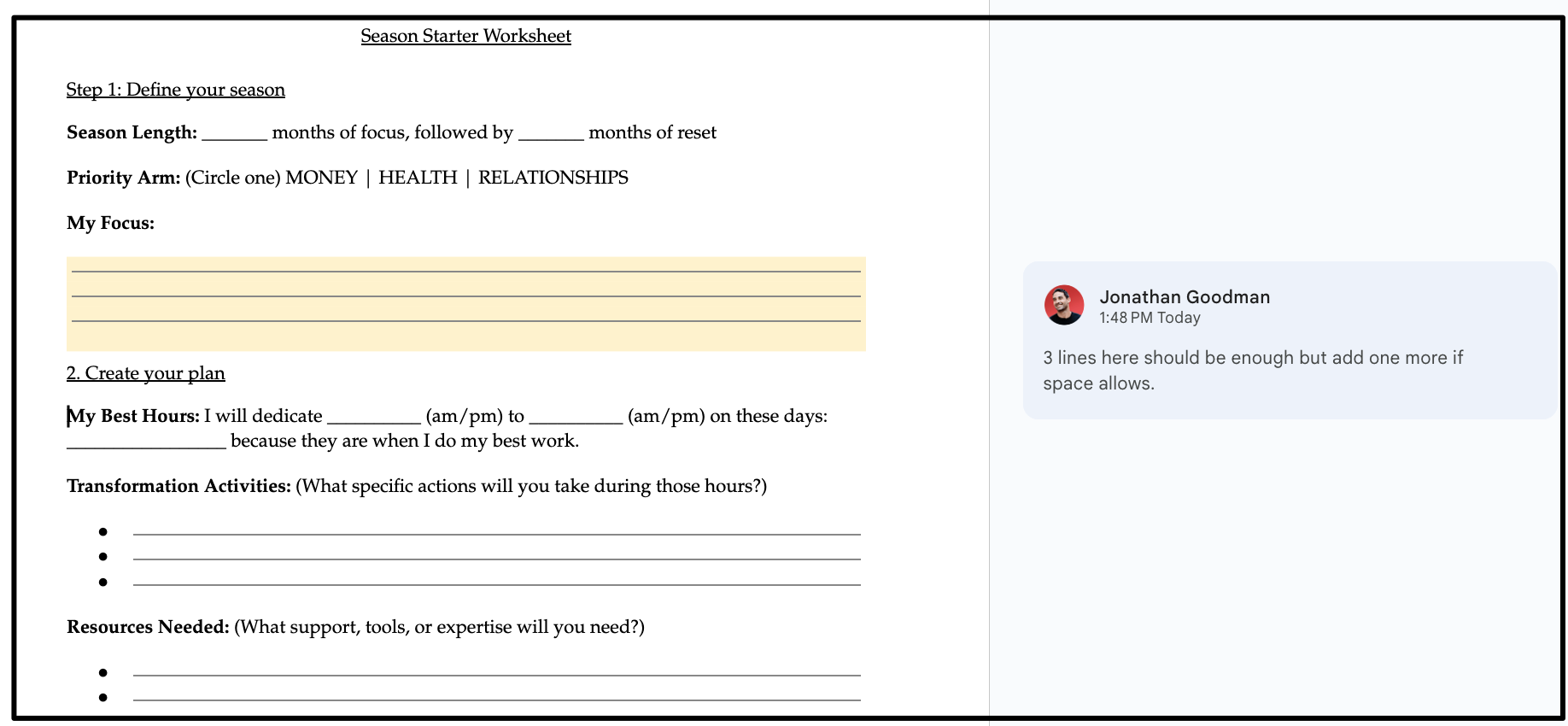
Once finalized, I create a Google doc with design notes and send it to my team. Before I had a team, I hired designers on Upwork.
Keep it simple. Design the pages for printing. Each one should include:
Page numbers it references in the book
A link to the book website or your website at the bottom
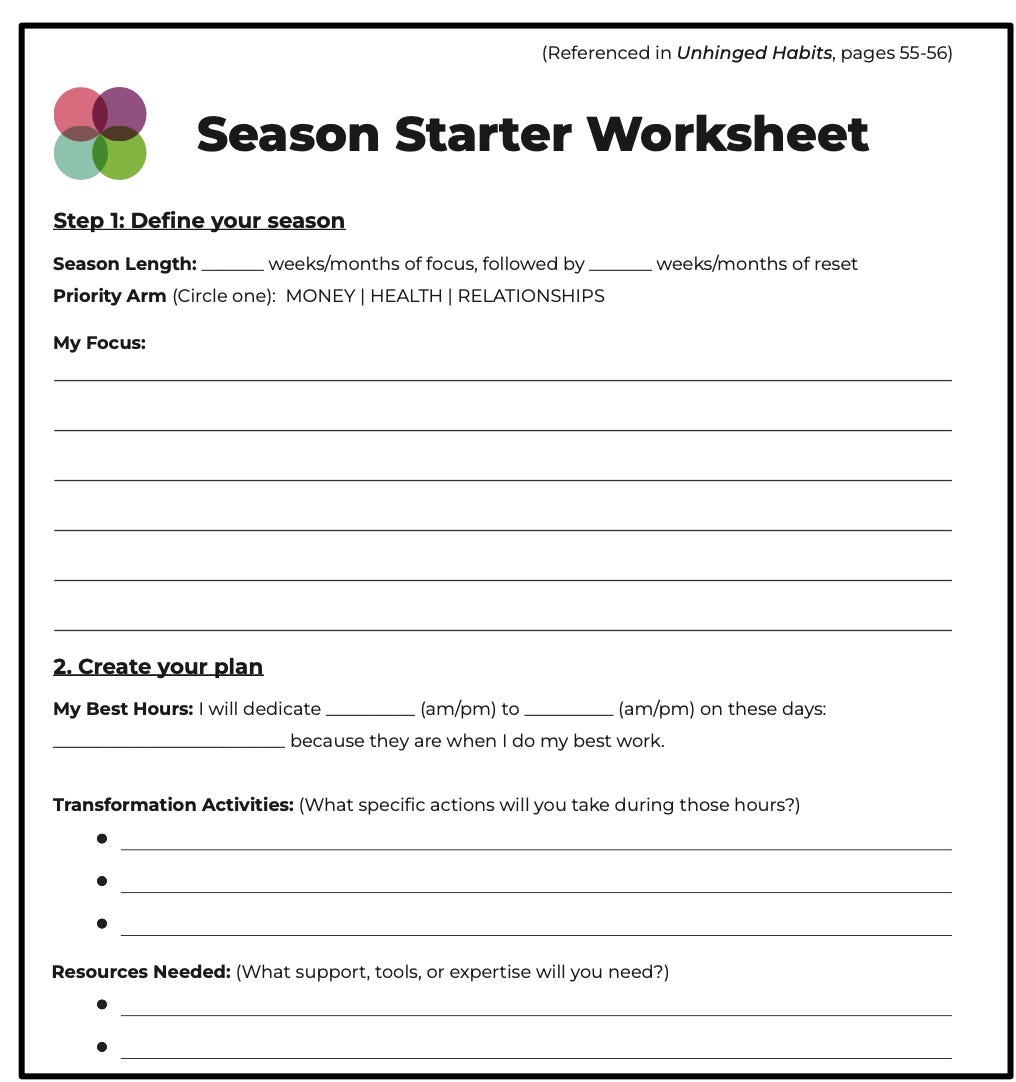
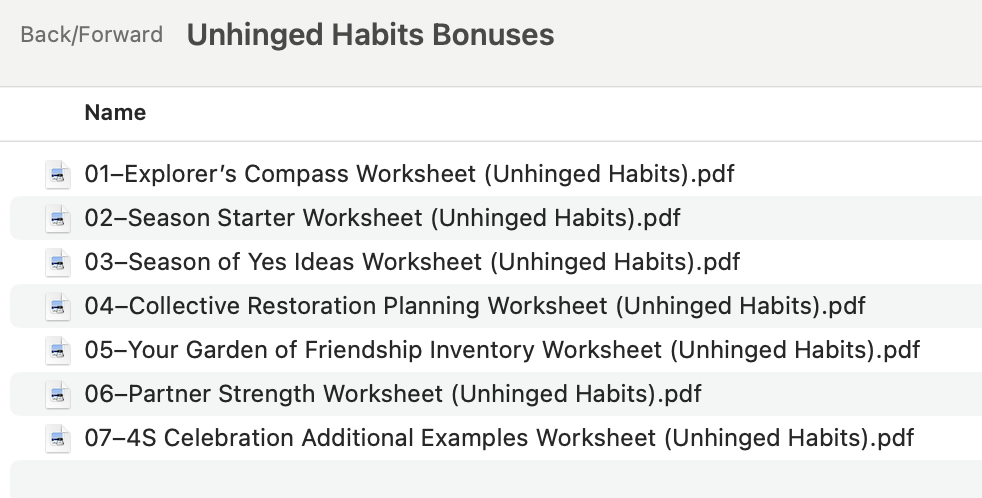
Save all PDFs in a single Dropbox folder with clear naming (#, name, book title).
Link it all up
Each bonus gets a one-line call to action (CTA) in the book: a separator, the CTA, a QR code, and a custom link.
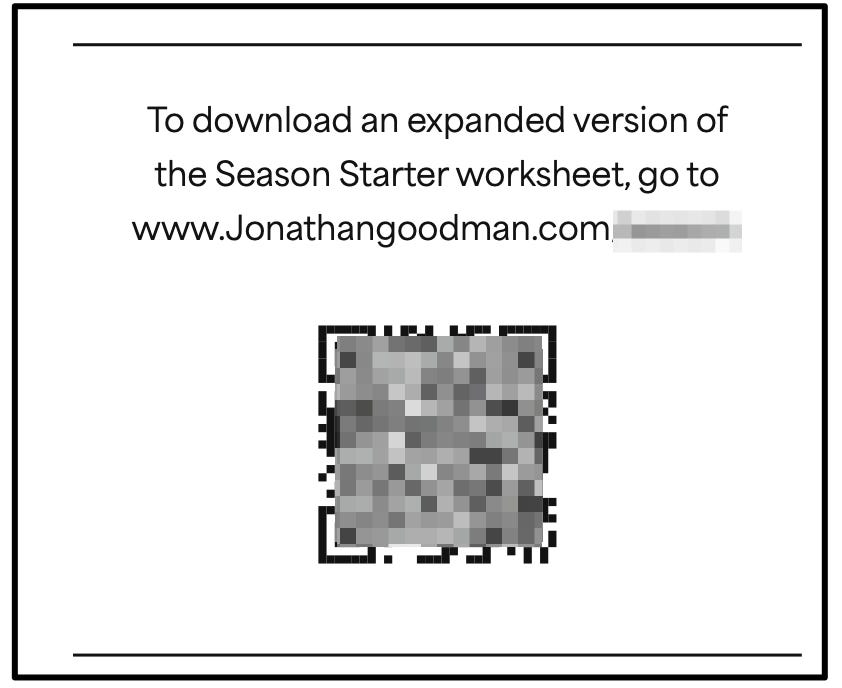
Two important details:
Each link is unique but points to the same place.
Specific CTAs convert better. “Download the bonuses” with one generic /bonuses link converts worse than seven unique links for seven bonuses.
On the back end, redirect all seven links to the same page that delivers every bonus.
Include both link and QR code.
Physical and Kindle readers can scan the code. The written link is backup and works for the audiobook recording (I read the link aloud).
Capture emails and request reviews
When readers scan or type the link, they land on a simple page asking for their email in exchange for bonuses.
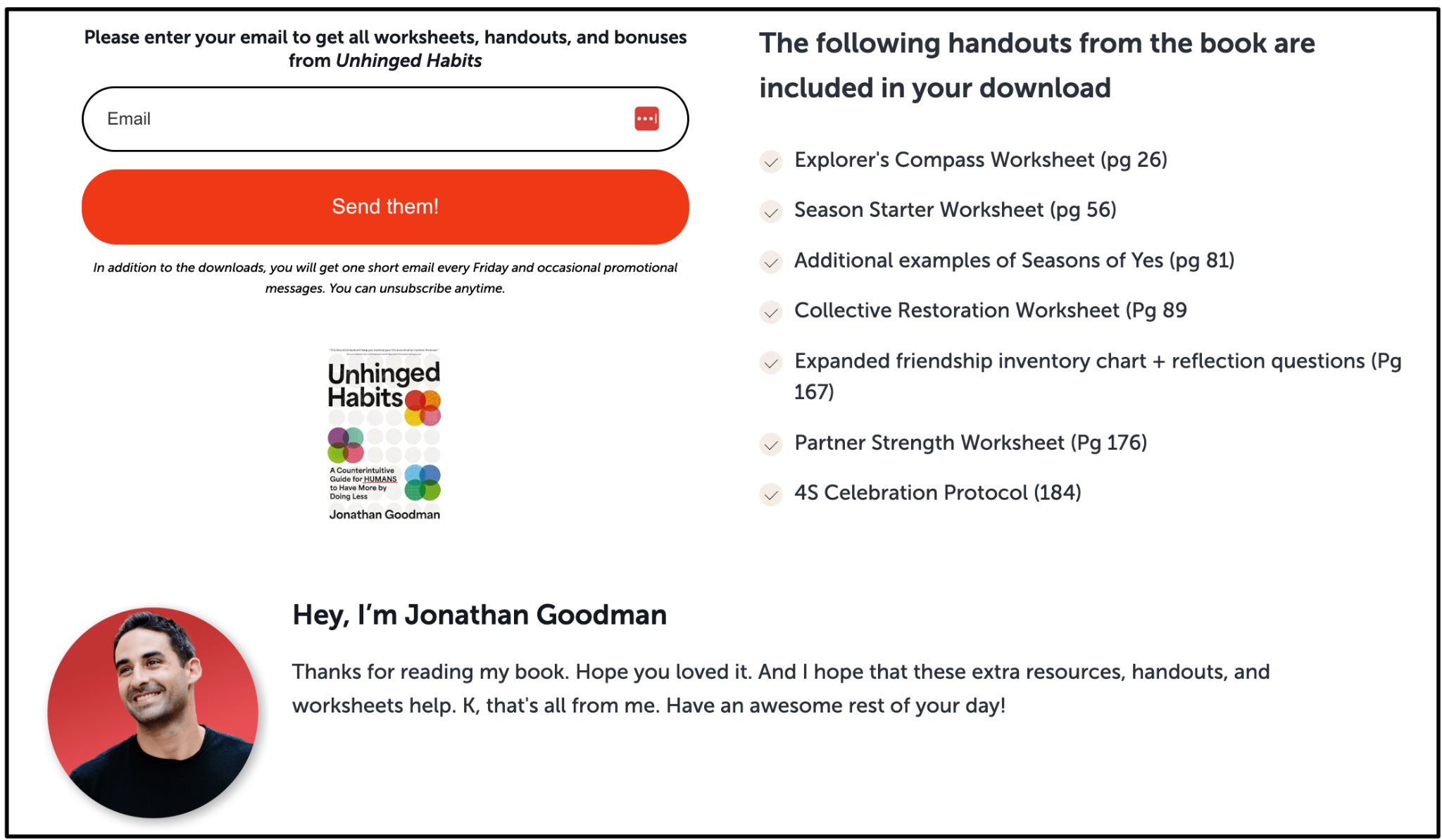
This page shows the book, confirms the downloads, and adds personality.
I use Kit.com for email management (here’s a big feature they just published on me!). The embedded form triggers an automation that:
Delivers an email with the Dropbox link
Checks if they’re new to my list
Adds them to my introduction sequence if so
Here’s the email readers receive:
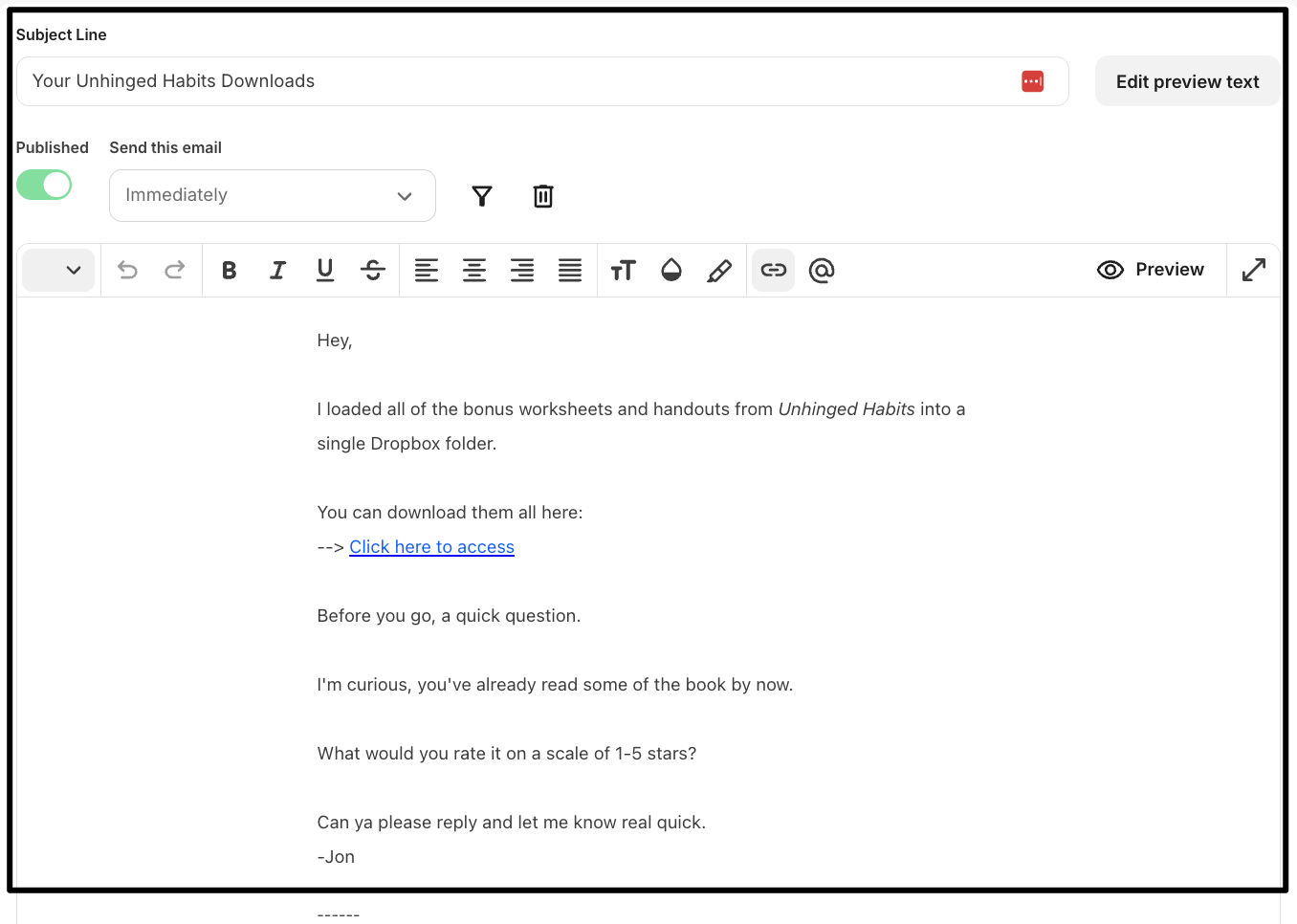
Notice the star rating request at the bottom.
This automated approach gets readers to respond. When they reply with 4 or 5 stars, follow up: “What did you like most about the book?”
You’re getting natural feedback, not forcing a formal review. Reviewing books feels weird. Saying what you liked doesn’t.
When they reply, say: “Perfect! Would you copy-paste that as an Amazon review? Here’s the direct link: [your review URL]”.
(I covered this more fully in “4 Sneaky Ways Smart Authors Get More Amazon Reviews“.)
The complete process:
Note potential bonuses as you write
Use AI to create initial drafts
Hire a designer to create PDFs
Upload all PDFs to a single Dropbox folder
Include a CTA, QR code, and unique link for each bonus in your book
Redirect all links to a single email opt-in page
Use an email autoresponder to send the Dropbox and ask for a star rating
Respond to 4 and 5-star emails with a request to leave an Amazon review
Oh, and maybe write an article sharing the entire system as a way to covertly market your book a few weeks before its publication.
Hope this is useful for you.
-Jon
I just did this for my children’s books!
Even thought it already published I ordered postcards so when people buy directly from my site or TikTok they get the postcard for the downloadable worksheets